Aaj ke digital time me computer, laptop ya mobile bina Operating System (OS) ke sochna almost impossible hai. Chahe aap student ho, blogger ho, competitive exam ki preparation kar rahe ho, ya basic computer knowledge improve karna chahte ho — Operating System samajhna bahut zaroori hai.
Is detailed aur beginner-friendly article me hum simple Hinglish me samjhenge:
- Operating System kya hota hai
- Operating System ke types
- Operating System ke main functions
- Real life examples
- Popular Operating Systems
- Computer Fundamentals me OS ka importance
Ye article SEO optimized, AdSense safe aur fully practical explanation ke saath likha gaya hai.
Operating System Kya Hota Hai? (What is Operating System?)
Operating System ek system software hota hai jo user aur computer hardware ke beech bridge ka kaam karta hai.
Simple words me:
Operating System wo software hai jo computer ko batata hai ki kaam kaise karna hai.
Jab aap computer on karte ho aur screen par Windows, macOS ya Linux ka logo aata hai — wahi se Operating System ka kaam start hota hai.
Agar OS na ho to:
- Computer start nahi hoga
- Keyboard aur mouse kaam nahi karenge
- Software run nahi honge
- Files save ya open nahi ho payengi
Isliye Operating System ko computer ka backbone ya heart bhi kaha jata hai.
Easy Real Life Example
Socho computer ek body hai:
- Hardware = body ke organs
- Operating System = brain ka control system
- User = aap
Jaise brain body ke sab parts ko control karta hai, waise hi OS computer ke sab components ko manage karta hai.
Ek aur example:
Hotel building = hardware
Manager = Operating System
Guests = users
Manager decide karta hai kaun sa room free hai, kaun sa staff kaam karega. Bilkul waise hi OS computer ke resources manage karta hai.
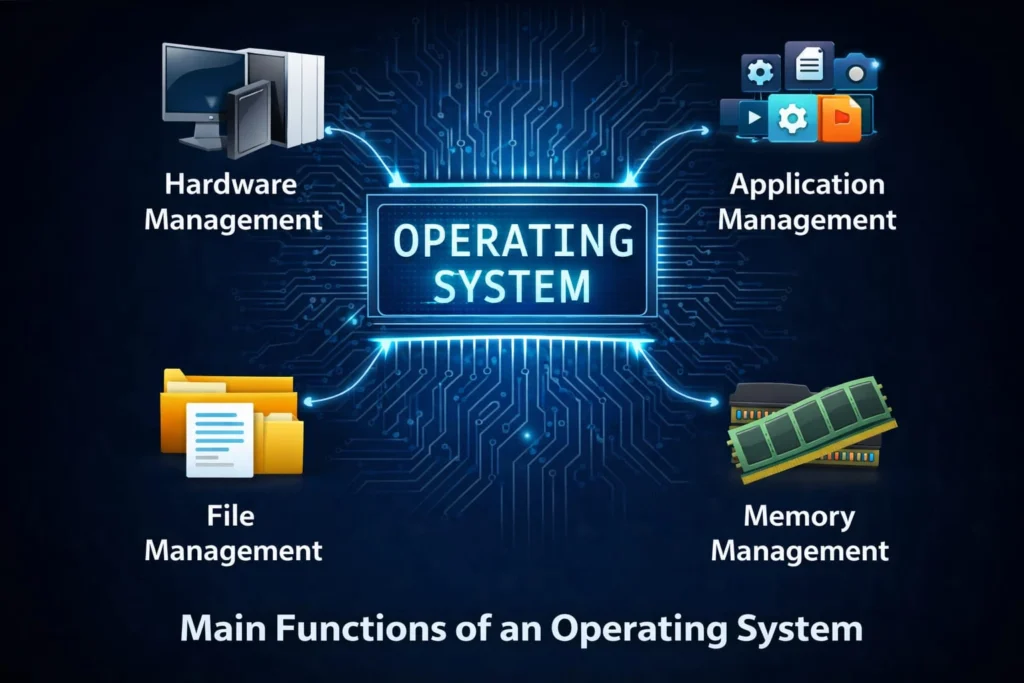
Operating System Ke Main Functions
Operating System sirf screen dikhane ke liye nahi hota. Ye background me bahut saare important kaam karta hai.
1. Process Management
Jab aap ek saath:
- Chrome browser
- MS Word
- Music player
chalate ho, to OS decide karta hai kaunsa program kab chalega aur kitna CPU use karega.
Isko multitasking bhi kehte hain.
2. Memory Management
Computer ki RAM limited hoti hai. OS ye manage karta hai:
- Kaun sa program kitni memory use karega
- Kaunsa program close karna hai
- Memory free kaise karni hai
Agar memory management sahi na ho to system slow ho jata hai.
3. File Management
OS files aur folders ko manage karta hai:
- File create karna
- Save karna
- Rename karna
- Delete karna
- Organize karna
Jaise Windows me “This PC” ya “File Explorer” — ye sab OS ke part hain.
4. Device Management
Keyboard, mouse, printer, scanner, speakers — in sab devices ko control karna OS ka kaam hai.
Ye drivers ke through hardware ko connect karta hai.
5. Security & User Control
Operating System provide karta hai:
- Password protection
- User accounts
- Data encryption
- Firewall
Isse data safe rehta hai.
6. User Interface Provide Karna
OS user ko computer use karne ka tarika deta hai:
- GUI (Graphical User Interface) – Windows, icons, mouse
- CLI (Command Line Interface) – commands type karke
Aaj ke modern systems mostly GUI use karte hain.
Types of Operating System
Different needs ke hisaab se Operating Systems alag-alag types ke hote hain.
1. Single User Operating System
Is type me ek time par sirf ek user system use karta hai.
Example:
- MS-DOS
Ye purane computers me use hota tha.
2. Multi User Operating System
Isme ek hi system ko multiple users use kar sakte hain.
Example:
- UNIX
- Linux servers
Ye mostly offices aur companies ke servers me use hota hai.
3. Batch Operating System
Is system me similar jobs ko ek batch me execute kiya jata hai.
User directly interact nahi karta.
Example:
- Old IBM systems
Aaj ke time me kam use hota hai.
4. Time Sharing Operating System
Isme har user ko thoda-thoda CPU time milta hai.
Example:
- UNIX
- Linux
Fast response ke liye useful hota hai.
5. Real Time Operating System (RTOS)
Isme response time bahut important hota hai. Delay allowed nahi hota.
Example:
- Medical equipment
- Industrial machines
- Space systems
- Traffic control systems
RTOS highly reliable hota hai.
6. Distributed Operating System
Isme multiple computers network me connected hote hain aur ek system ki tarah kaam karte hain.
Example:
- Large company server networks
- Cloud infrastructure
Ye large organizations me use hota hai.
7. Mobile Operating System
Mobile phones aur tablets ke liye specially design kiya jata hai.
Example:
- Android
- iOS
Ye touch screen aur apps ko efficiently handle karta hai.
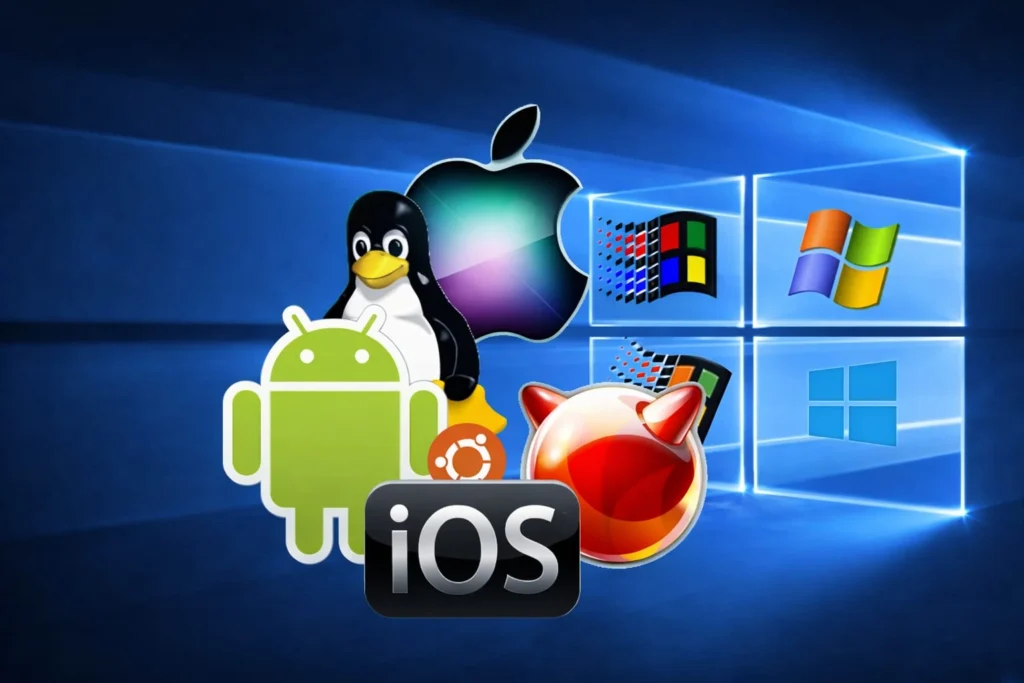
Popular Operating System Examples (Real World)
Microsoft Windows
- Sabse zyada used desktop OS
- User friendly
- Office, gaming, education ke liye popular
- Latest versions: Windows 10, Windows 11
Linux Operating System
- Open source
- Free to use
- Developers aur servers me popular
Popular distributions:
- Ubuntu
- Fedora
- Kali Linux
macOS
- Apple computers ke liye
- Secure aur stable
- Graphics, video editing, design ke liye best
Android
- Google developed
- World ka sabse popular mobile OS
- Billions devices me use hota hai
iOS
- Apple iPhone ke liye
- High security
- Smooth performance
Operating System ke baare me aur detail jankari ke liye aap Wikipedia ka official page bhi dekh sakte hain: https://en.wikipedia.org/wiki/Operating_system
Operating System Aur Computer Fundamentals
Computer Fundamentals ka matlab hota hai computer ke basic concepts samajhna.
Operating System important hai kyunki:
- Ye computer ka base topic hai
- Competitive exams (SSC, Banking, Railway, State exams) me frequently pucha jata hai
- Programming sikhne ke liye foundation deta hai
- IT jobs ke liye basic requirement hai
- Blogging aur digital work me helpful hai
Agar aap OS nahi samajhte, to computer ka advanced use mushkil ho jata hai.
Operating System Ke Advantages
- Easy computer usage
- Multitasking possible
- Hardware aur software coordination
- Better performance
- Data security
- Resource management
Operating System Ke Disadvantages
- Virus aur malware attack ka risk
- Licensed OS costly ho sakta hai
- System crash ho sakta hai
- Updates kabhi-kabhi issues create kar sakte hain
Lekin proper maintenance aur updates se problems kam ki ja sakti hain.
Future of Operating Systems (Reality Check – 2026)
Aaj ke time me Operating Systems sirf desktop tak limited nahi hain.
Ab OS use ho raha hai:
- Smart TVs
- Smart watches
- Cars
- IoT devices
- Cloud servers
Artificial Intelligence aur Cloud Computing ke saath OS aur bhi intelligent ho rahe hain.
Conclusion
Operating System computer ka backbone hota hai. Bina OS ke hardware useless hai.
Is article me humne detail me samjha:
- Operating System kya hota hai
- Operating System ke types
- OS ke main functions
- Real life examples
- Popular Operating Systems
- Computer Fundamentals me iska importance
Chahe aap student ho, blogger ho ya competitive exam ki tayari kar rahe ho — Operating System ka knowledge aapko computer field me strong foundation deta hai.
Agar aap computer ko sirf use nahi balki samajhna chahte ho, to Operating System se better starting point koi nahi.
Do you know what is Cyber security= CLICK HERE
INTERNET KYA HAI= CLICK HERE