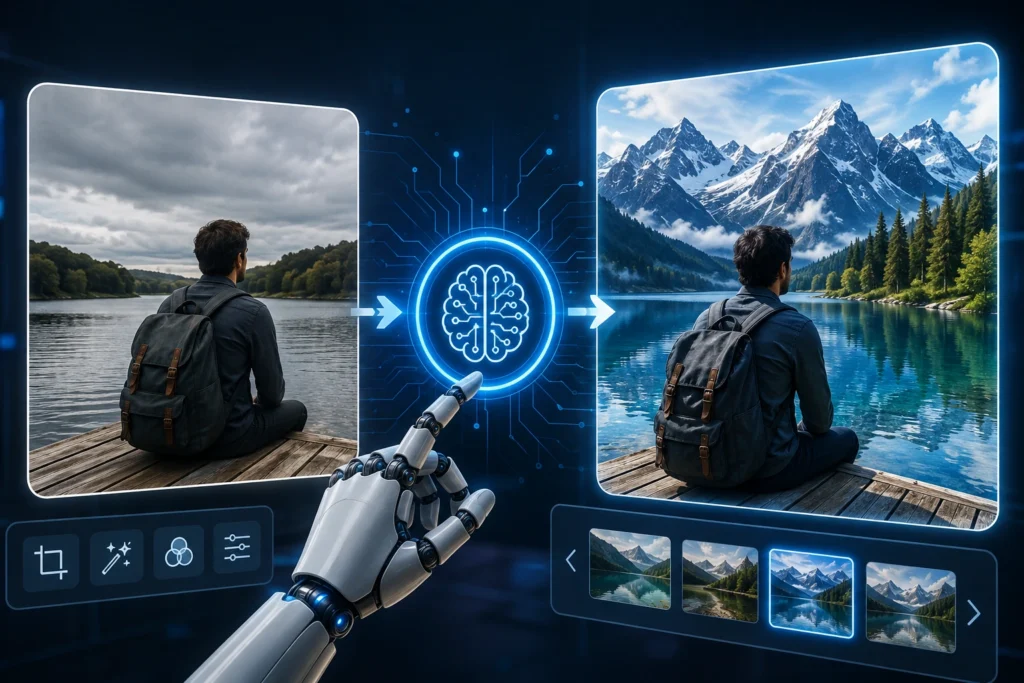
Grok Image 2.0: AI image generation ki duniya har din aur interesting hoti ja rahi hai. Kuch time pehle tak ek achhi photo edit karne ke liye Photoshop jaise software ki knowledge zaroori hoti thi. Lekin ab AI tools ki madad se sirf ek simple prompt likhkar photo mein kai tarah ke changes kiye ja sakte hain.
Isi race mein Grok Image 2.0 ko lekar bhi kaafi discussion ho raha hai. Halaanki, ek important baat yahan clear karna zaroori hai. xAI ki official documentation mein iska current image system Grok Imagine aur grok-imagine-image ke naam se listed hai. Official information ke according, Grok Imagine text se images create karne ke saath existing photos ko edit aur restyle bhi kar sakta hai.
Agar aap AI image generation, photo editing ya content creation mein interested hain, to Grok ke image tools aapke liye kaafi useful ho sakte hain.
Grok Image 2.0 Kya Hai?
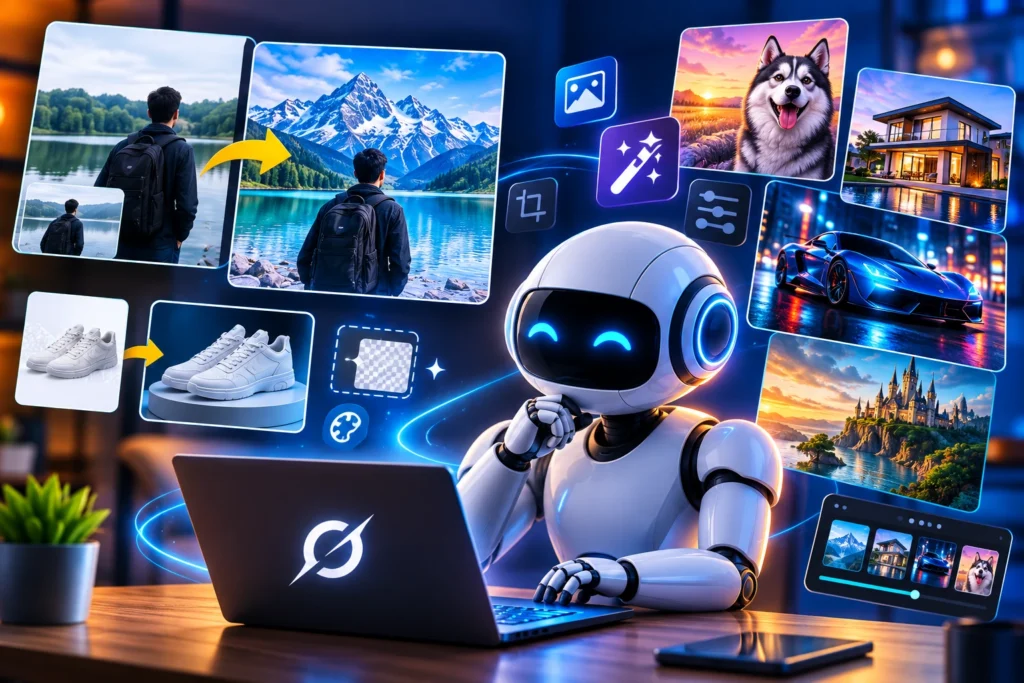
Grok Image 2.0 naam se image generation aur editing ko lekar kaafi discussion hai. xAI ka current image system Grok Imagine users ko text prompt ke through images generate karne ke saath existing images mein changes karne ki facility deta hai.
Iska sabse bada advantage ye hai ki har chhoti editing ke liye manually selection, masking ya multiple editing tools use karna zaroori nahi hota.
Aap simply natural language mein bata sakte hain ki image mein kya change chahiye.
For example, aap likh sakte hain:
“Is photo ka background remove karke peeche snow-covered mountains add kar do.”
AI aapke instruction ko samajhkar requested edit generate karne ki koshish karta hai.
Grok Image 2.0 Ke Main Features
Grok ke image tools ki sabse interesting baat ye hai ki ye sirf new images generate karne tak limited nahi hain. Existing photos ko bhi modify aur restyle kiya ja sakta hai.
AI Photo Editing
Photo editing Grok ke image capabilities ka ek important part hai.
Agar aapko kisi photo mein background change karna hai, kisi object ko remove karna hai ya image ka overall look modify karna hai, to aap prompt ke through instruction de sakte hain.
For example:
“Person ko same rakho aur background ko ek beautiful sunset beach mein change kar do.”
Is tarah ke natural-language instructions ke through AI requested changes karne ki koshish karta hai.
Background Remove Aur Replace
Background remove karna creators, photographers aur online sellers ke liye kaafi useful ho sakta hai.
Traditional editing mein background remove karne ke liye selection aur masking jaise tools ka use karna padta hai. AI-based editing is process ko kaafi simple bana sakti hai.
Aap kisi product ki photo ka background remove karke ek clean studio background create kar sakte hain. Isi tarah kisi person ki photo ko completely different location mein bhi place kiya ja sakta hai.
Image Restyling
Grok Imagine ka ek aur interesting feature image restyling hai.
Iski help se ek normal photo ko different artistic styles mein transform kiya ja sakta hai. Official xAI documentation mein anime, oil painting, pencil sketch, pop art aur watercolor jaise styles ke examples diye gaye hain.
Matlab agar aapke paas ek normal photograph hai, to aap usko creative artwork mein convert karne ki koshish kar sakte hain.
Better Text Rendering
AI-generated images mein text hamesha perfect nahi raha hai. Kabhi-kabhi posters ya banners mein words ki spelling galat ho jaati hai ya letters distorted dikhai dete hain.
xAI ne apne Quality Mode mein improved text rendering aur better creative control ko highlight kiya hai.
Ye feature social media posts, posters, banners aur promotional graphics create karne wale users ke liye useful ho sakta hai.
Grok Se Photo Edit Kaise Karein?
Grok ke saath AI photo editing ka basic process kaafi simple hai.
Sabse pehle apni existing image upload karein. Uske baad clearly batayein ki aap photo mein kya change karna chahte hain.
For example:
“Is photo ka background ek modern city street mein change karo aur person ko bilkul original rakho.”
Ya phir:
“Photo ke background mein jo unwanted object hai use remove karo aur baaki image ko same rakho.”
Jitna clear aapka prompt hoga, utna hi AI ko aapki requirement samajhne mein help milegi.
Content Creators Ke Liye Grok Kitna Useful Hai?
Content creators ke liye AI image editing ka sabse bada benefit time saving hai.
Agar aap YouTube thumbnails, Instagram posts, blog feature images ya promotional graphics banate hain, to har baar complicated editing software use karna zaroori nahi hota.
Suppose aapko kisi thumbnail mein sirf background change karna hai ya kisi unwanted object ko remove karna hai. Aise simple tasks ke liye AI editing kaafi convenient ho sakti hai.
Creators ke liye ye especially useful hai kyunki ek hi image ke multiple versions quickly create kiye ja sakte hain.
also see
- Tata Motors August 2026 Discounts: Save Up to ₹3.35 Lakh on Select EVs
- vivo S2 Launched in India: 7050mAh Battery, 4K Cameras and AI Features Starting at ₹39,999
- Dassault Falcon 10X: The Private Jet Redefining Luxury and Performance
- Google Pixel 10 Price Drop: New Price, Specs, Features and Should You Buy It?
Grok Image 2.0 Vs Traditional Photo Editing
Traditional photo editing mein user ko selection, masking, layers, colors aur other adjustments manually handle karne pad sakte hain.
AI photo editing mein inmein se kai tasks natural-language prompts ke through kiye ja sakte hain.
Lekin iska matlab ye nahi hai ki Photoshop ya professional editing software ki zaroorat khatam ho gayi hai.
Professional projects mein detailed control aur precise editing ki zaroorat abhi bhi hoti hai. Lekin everyday photo editing aur quick creative changes ke liye AI tools kaafi useful option ban chuke hain.
Kya Grok Image 2.0 Midjourney Ko Takkar De Sakta Hai?
AI image generation market mein already kai powerful tools available hain. Midjourney aur OpenAI ke image-generation tools apni-apni strengths ke liye popular hain.
Grok ki strength iska broader Grok ecosystem aur image generation ke saath editing capabilities ka combination hai.
xAI ka Imagine system image generation, editing aur restyling jaise workflows ko support karta hai.
Isliye Grok ko sirf ek simple AI image generator ke roop mein dekhna sahi nahi hoga. Ye ek broader creative AI tool ke roop mein develop ho raha hai.
Grok Image 2.0 Ki Limitations Bhi Samajhna Zaroori Hai
AI photo editing powerful zaroor hai, lekin har baar perfect result mile, ye guarantee nahi hai.
Complex edits ke time AI image ke kuch small details ko accidentally change kar sakta hai. Isliye important photos ko publish karne se pehle final result ko properly check karna chahiye.
Real people ki photos edit karte waqt privacy aur consent ka bhi dhyan rakhna zaroori hai.
AI-generated images ka misuse fake content aur misleading visuals ke liye bhi ho sakta hai. Isliye AI image tools ka responsible use karna bahut important hai.
Kya Grok Image 2.0 Free Hai?
Grok ki image capabilities ki availability aapke account, plan aur service par depend kar sakti hai.
xAI ne API users ke liye image generation ki separate pricing bhi provide ki hai. Isliye ye kehna sahi nahi hoga ki Grok Image 2.0 completely free hai.
Agar aap Grok ka image generation ya editing feature use karna chahte hain, to apne account mein current availability aur usage limits check karna better rahega.
Final Verdict
Grok Image 2.0 naam ko lekar official information ko thoda carefully samajhna zaroori hai, kyunki xAI ki current official documentation apne image system ko Grok Imagine ke naam se list karti hai.
Lekin ek baat clear hai. Grok ki image generation aur editing capabilities kaafi interesting ho chuki hain.
Background change karna, unwanted objects remove karna, images ko different styles mein transform karna aur text-based instructions ke through photo edit karna AI photo editing ko beginners ke liye bhi easier bana raha hai.
Agar aap YouTube thumbnails, social media posts, blog images ya creative visuals banate hain, to Grok Imagine ko try karna worth considering hai.
AI image generation ab sirf image banane tak limited nahi reh gayi hai. Ab users existing photos ko bhi simple prompts ke through transform kar sakte hain. Aur aane wale time mein ye technology aur bhi powerful hone ki उम्मीद है.
Frequently Asked Questions
1. Grok Image 2.0 Kya Hai?
Grok Image 2.0 naam se AI image generation aur editing ko lekar discussion hai. xAI ki current official documentation mein iska image system Grok Imagine aur grok-imagine-image ke naam se listed hai.
2. Kya Grok Se Existing Photo Edit Kar Sakte Hain?
Haan. Grok Imagine existing images ko edit aur restyle kar sakta hai. Background change, object removal aur visual style change jaise tasks possible hain.
3. Kya Grok AI Images Bana Sakta Hai?
Haan. Grok Imagine text prompts ke through AI-generated images create kar sakta hai.
4. Kya Grok Photo Ka Background Change Kar Sakta Hai?
Haan. Grok ke image editing capabilities mein background replacement aur background-related editing options available hain.
5. Kya Grok Photoshop Ko Replace Kar Sakta Hai?
Har situation mein nahi. Quick edits aur creative work ke liye Grok useful hai, lekin professional editing mein Photoshop jaise tools ka detailed manual control abhi bhi important hai.
6. Kya Grok AI Photo Editing Safe Hai?
AI photo editing use karte waqt privacy, consent aur copyright ka dhyan rakhna chahiye. Kisi real person ki photo ko bina permission manipulate karke misleading content create karna avoid karein.
Also See This
Redmi K100 Pro and Pro Max Are Here: These Are Not Ordinary Flagships
Tata Motors Offers Festive Benefits of Up to ₹2.25 Lakh in Kerala
Google Pixel 11 Series: Specs, Features, Price and Everything You Need to Know